> ## Documentation Index
> Fetch the complete documentation index at: https://docs.dintero.com/llms.txt
> Use this file to discover all available pages before exploring further.
# Connect your accounting system
> Integrate Dintero Checkout with your accounting system to automatically send sales data for reconciliation, reporting, and financial management.
Connect your accounting system to Dintero to automate reconciliation and reporting. There are two ways to integrate, depending on how much detail you need in your books.
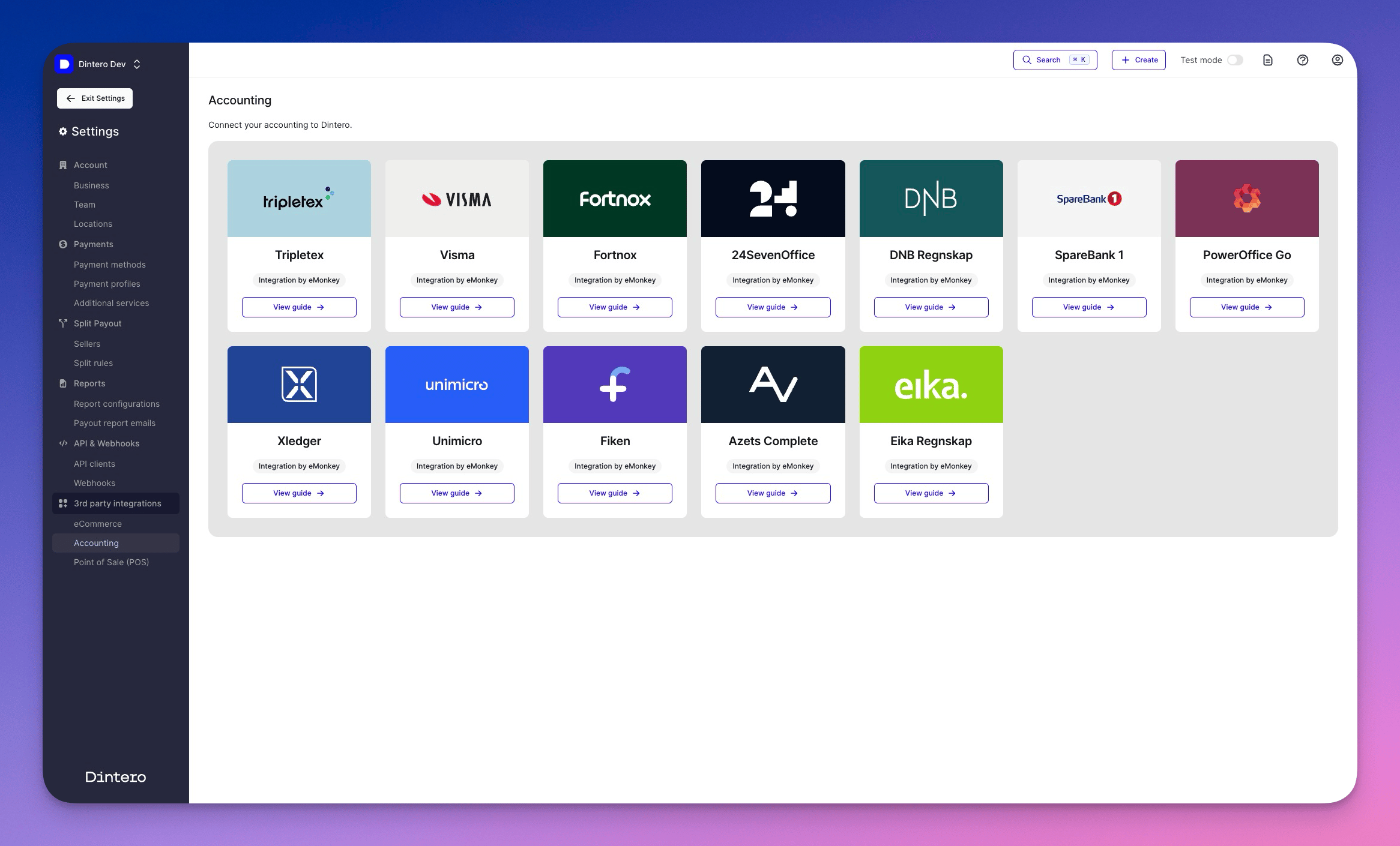 ## Supported accounting systems
Dintero connects to Nordic accounting and ERP systems through its partners, including:
These integrations are provided by trusted third-party partners such as [eMonkey](https://www.emonkey.no/integrasjoner/dintero) and others.
## Automate payout reporting
Payout reporting transfers settlement and fee data to your accounting system without any technical setup. It is included at no extra cost.
This lets you:
* Reconcile payouts from your online store with bank deposits
* Match payout data and fees in your accounting system
* Automate file-based routines for faster end-of-month reporting
In [Dintero Backoffice](https://backoffice.dintero.com), go to **Settings** > **Accounting**.
Choose the file format or provider that matches your accounting system.
Enter the destination for the reports, such as the account-specific email address for your accounting system.
Once configured, Dintero sends payout reports automatically. No further action is required.
## Full integration per order
If you need each order, transaction, and fee matched directly in your accounting system — for example, to create vouchers per order — this is handled through a third-party integration partner.
This includes:
* Real-time syncing of orders, fees, and refunds
* Automatic creation of accounting vouchers per transaction
* Deep integration with ERP systems and ecommerce platforms
This service requires a subscription with a provider such as [eMonkey](https://emonkey.no) or [Aritma](https://www.aritma.com). Contact the provider to set up the integration.
Not sure which option fits your business? [Contact Dintero support](https://www.dintero.com/contact) to find the right setup.
## Supported accounting systems
Dintero connects to Nordic accounting and ERP systems through its partners, including:
These integrations are provided by trusted third-party partners such as [eMonkey](https://www.emonkey.no/integrasjoner/dintero) and others.
## Automate payout reporting
Payout reporting transfers settlement and fee data to your accounting system without any technical setup. It is included at no extra cost.
This lets you:
* Reconcile payouts from your online store with bank deposits
* Match payout data and fees in your accounting system
* Automate file-based routines for faster end-of-month reporting
In [Dintero Backoffice](https://backoffice.dintero.com), go to **Settings** > **Accounting**.
Choose the file format or provider that matches your accounting system.
Enter the destination for the reports, such as the account-specific email address for your accounting system.
Once configured, Dintero sends payout reports automatically. No further action is required.
## Full integration per order
If you need each order, transaction, and fee matched directly in your accounting system — for example, to create vouchers per order — this is handled through a third-party integration partner.
This includes:
* Real-time syncing of orders, fees, and refunds
* Automatic creation of accounting vouchers per transaction
* Deep integration with ERP systems and ecommerce platforms
This service requires a subscription with a provider such as [eMonkey](https://emonkey.no) or [Aritma](https://www.aritma.com). Contact the provider to set up the integration.
Not sure which option fits your business? [Contact Dintero support](https://www.dintero.com/contact) to find the right setup.