> ## Documentation Index
> Fetch the complete documentation index at: https://docs.dintero.com/llms.txt
> Use this file to discover all available pages before exploring further.
# Checkout Express vs. standard
> Understand the difference between Checkout Express and standard checkout, and when to use each.
Dintero plugins support two checkout modes. The mode you choose affects how customer contact details are collected during checkout.
 ## Comparison
| | Checkout Express | Standard checkout |
| ------------------------ | ----------------------------------------------- | ------------------------------------------------------ |
| Customer contact details | Auto-filled for returning customers | Entered manually each time |
| B2B invoicing | Supported | Not supported |
| Browser verification | Some browsers require email or SMS confirmation | Not applicable |
| Best for | Most stores | Stores where another plugin must collect customer data |
## Checkout Express
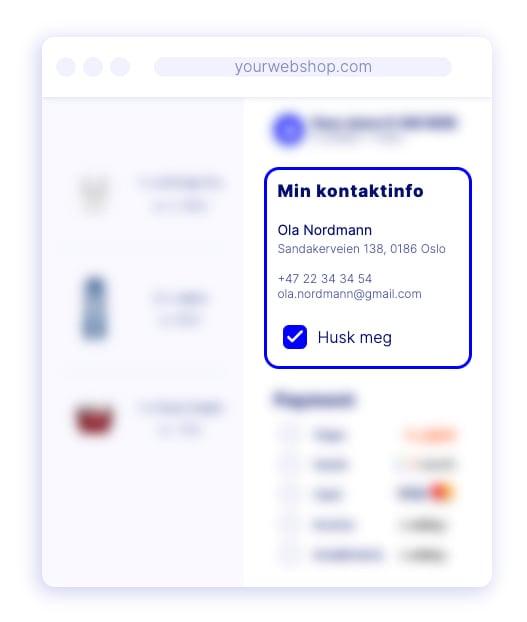
Checkout Express remembers returning customers and pre-fills their contact details, including name and address, without requiring them to type them again.
Some browsers require the customer to verify their email address or confirm via SMS before details are pre-filled.
**B2B invoicing requires Checkout Express.** If you want to offer invoice payment for companies, you must activate this mode.
## Standard checkout
Standard checkout presents a regular form where customers enter their contact details manually on every purchase. Use this if:
* Another plugin in your store needs to collect customer data independently.
* Your workflow requires a separate contact data collection step.
## Which should you use?
Use Checkout Express for most stores. It reduces friction for returning customers and is the only mode that supports B2B invoicing.
If you are unsure which fits your setup, contact [Dintero support](https://www.dintero.com/contact).
## Comparison
| | Checkout Express | Standard checkout |
| ------------------------ | ----------------------------------------------- | ------------------------------------------------------ |
| Customer contact details | Auto-filled for returning customers | Entered manually each time |
| B2B invoicing | Supported | Not supported |
| Browser verification | Some browsers require email or SMS confirmation | Not applicable |
| Best for | Most stores | Stores where another plugin must collect customer data |
## Checkout Express
Checkout Express remembers returning customers and pre-fills their contact details, including name and address, without requiring them to type them again.
Some browsers require the customer to verify their email address or confirm via SMS before details are pre-filled.
**B2B invoicing requires Checkout Express.** If you want to offer invoice payment for companies, you must activate this mode.
## Standard checkout
Standard checkout presents a regular form where customers enter their contact details manually on every purchase. Use this if:
* Another plugin in your store needs to collect customer data independently.
* Your workflow requires a separate contact data collection step.
## Which should you use?
Use Checkout Express for most stores. It reduces friction for returning customers and is the only mode that supports B2B invoicing.
If you are unsure which fits your setup, contact [Dintero support](https://www.dintero.com/contact).