

Prerequisites
- A Shopify store.
- A Dintero account and payment profile. See API client setup.
Recommended setup
For most merchants, we recommend this setup:- Install the Dintero Companion app.
- Install one or more payment method apps:
- Cards
- Klarna
- Vipps (Norway)
- Swish (Sweden)
Available apps
Dintero Companion
The Companion app adds order line support for all other Dintero apps. It ensures that item details such as quantity, product name, VAT, and discounts pass correctly to Dintero.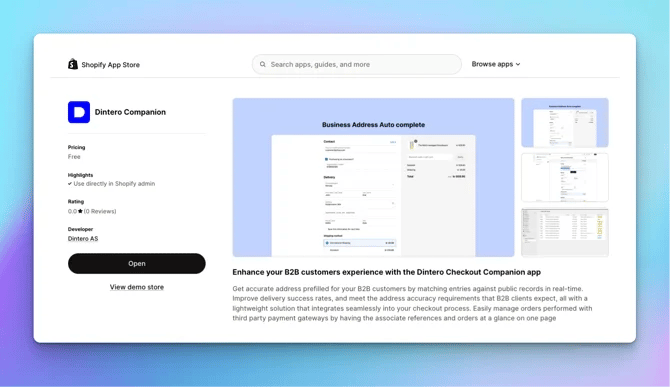
Install Dintero Companion
Adds order line support for all Dintero payment apps.
Payment method apps
Install a separate app for each payment method you want to offer.Cards
Accept Visa and Mastercard payments through Dintero.
Klarna
Offer Klarna Pay Now, Pay Later, and Financing in your checkout.
Vipps
Add Vipps mobile payments. Available for Norwegian customers only.
Swish
Add Swish mobile payments. Available for Swedish customers only.
MobilePay
Add MobilePay mobile payments. Available for Danish and Finnish customers only.
Billie
Offer Billie buy now, pay later for business (B2B) customers.
Dintero Checkout unified app (not recommended)
This app combines all payment methods into a single option at checkout. When customers select it, they are redirected to Dintero’s secure payment page atcheckout.dintero.com.
Use the unified app only if you need to:
- Display a custom company logo or friendly name during payment.
- Offer a single specific payment provider, such as Walley or Billie for B2B payments.
1
Disable other methods in Dintero
In Dintero Backoffice, open your Payment profile and disable all other payment methods.
2
Activate one method in Shopify
Open the app settings in Shopify and make sure only the desired method is active.
Common mistakes
Review these common Shopify mistakes to avoid issues with refunds, captures, and disputes.Expecting auto-capture
Expecting auto-capture
Dintero does not auto-capture payments by default, in line with Nordic consumer protection laws. If you sell digital products and need auto-capture, contact Dintero support.
Capturing or refunding in Dintero Backoffice
Capturing or refunding in Dintero Backoffice
Always capture and refund through Shopify. Performing these actions in Dintero Backoffice will not sync the changes back to Shopify, your order management system, or your warehouse system.
Ignoring Klarna disputes
Ignoring Klarna disputes
You have 72 hours to respond to a Klarna dispute. Sign in to portal.klarna.com with your Dintero account email address. Missing the deadline means automatically losing the case and the funds.See handling disputes in the Klarna portal for full instructions.