


Looking for in-person payments?
In-person payments let customers pay directly on a Dintero terminal.
Overview
Merchants can offer customers the flexibility to reserve items online and pay in-person at pickup, accepting any payment method available at the physical location.Pay in store is only supported for Dintero Checkout Express sessions.It works by setting the payment amount to zero when the customer selects a pay-in-store shipping option.
Pay in store flow (for payer)
When the payer opens the checkout they get the option to select “Pay in-store” after they have entered their customer details, as shown below:1
Select Pay in-store

2
Select which store to pay at
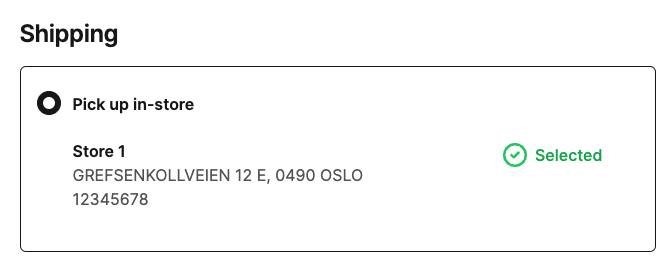
3
It is possible to add multiple stores to pay at
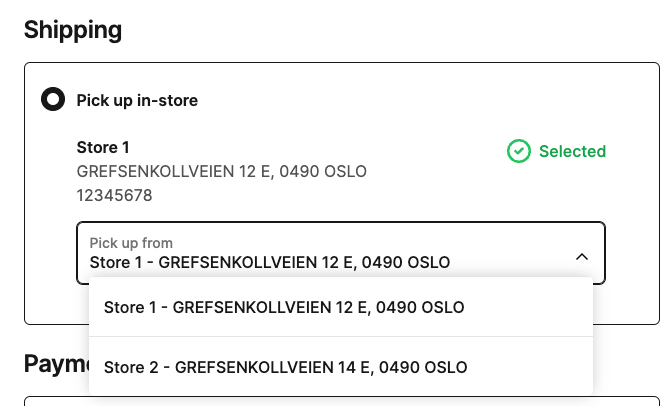
4
Pay in-store
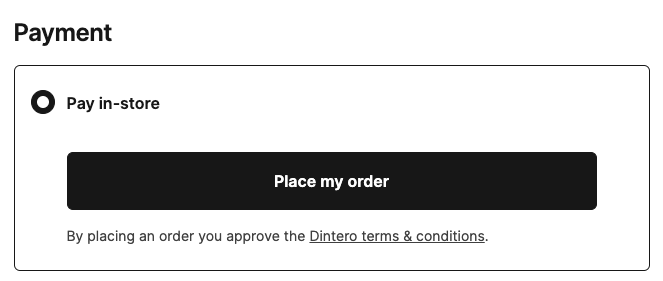
The only payment method available for pay in store is dintero.zero.
It will be presented as the only payment option in the checkout
Pay now and pick up in-store
To offer “pay now and pick up in-store,” you must configure 2 shipping options in the session:- One shipping option with “pay in-store” defined
- One shipping option without “pay in-store”
operator value.
Example request
The highlighted lines in the example are needed to enable “pay now and pick up in-store”:configuration.dintero.zeroenables the payment type, andpay_in_storemarks a shipping option as pay in store.- Both shipping options must have the same
operatorvalue.