External payment
Checkout can be used to create a payment session to collect customer details without initiating payment processing.
It can be used by merchants who want to use the Dintero Checkout to collect customer details while handling the rest of the payment process themselves.
- External payment method is only supported by Dintero Checkout Express sessions as it requires collection of customer details.
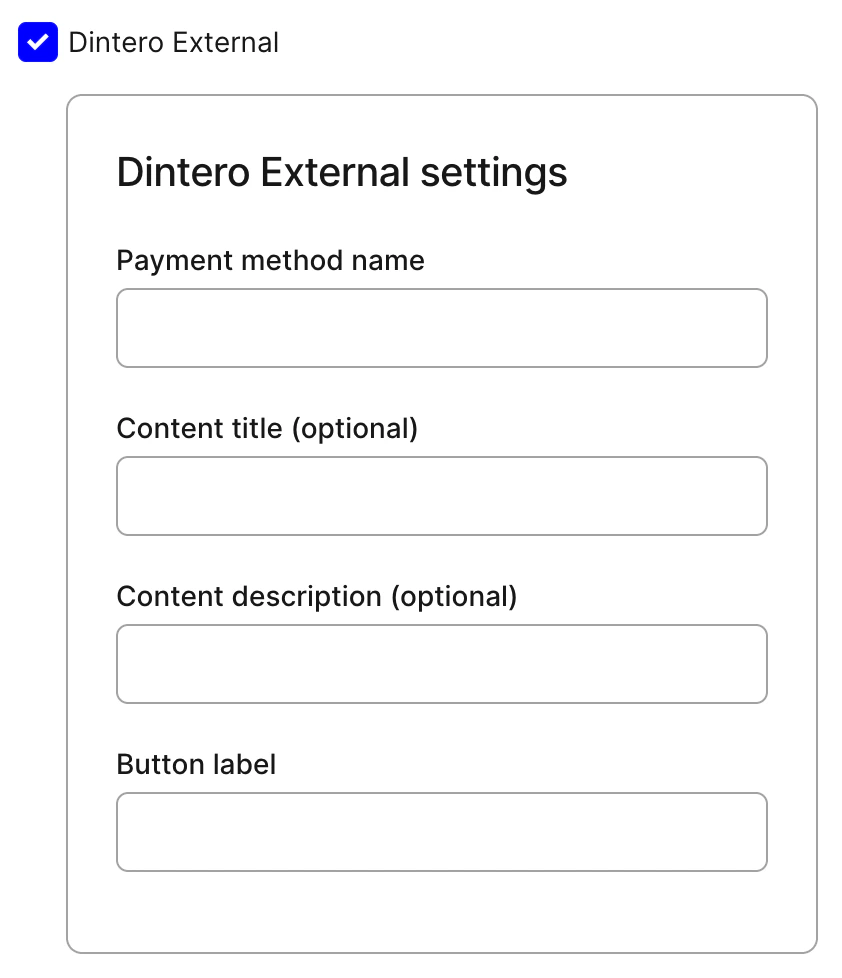
- It is required to set labels on the payment option in order for Checkout to display the payment method correctly.
Collect shopper info flow
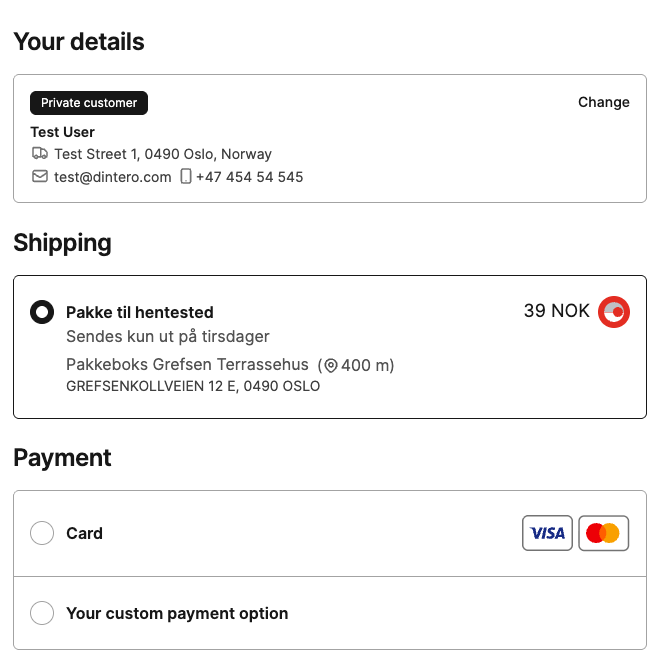
When the payer loads the checkout they get the option to select the external payment method denoted by your own custom payment method label after they have entered their customer details, as shown below:
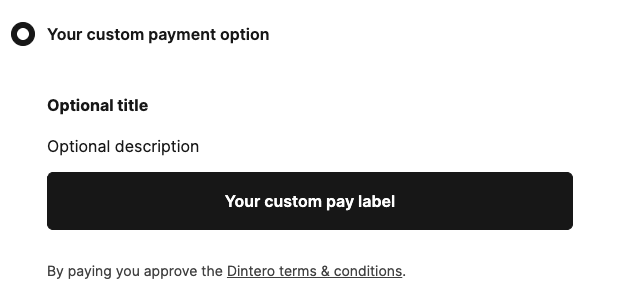
If the payer selects the payment method denoted by your custom payment method label, they are presented with your own title, description and your custom pay button that you have configured the session with.
When the payer proceeds with this option, they will be redirected to the return_url set on the session and the payer info will
have been collected by Checkout.
A transaction with the status ON_HOLD will be created from the payment request, which the merchant can
later authorize in order to capture, refund or cancel the payment from Backoffice.

Example request
An example request for creating a payment session with external payment enabled is shown below:
POST https://checkout.dintero.com/v1/sessions-profile
Authorization: Bearer <token>
Content-Type: application/json
{
"url": {
"return_url": "https://example.com/accept",
"callback_url": "https://example.com/callback?method=GET",
"merchant_terms_url": "https://example.com/terms.html"
},
"order": {
"amount": 10000,
"currency": "NOK",
"items": [
{
"id": "123",
"name": "Product 1",
"quantity": 1,
"unit_price": 10000
}
],
"merchant_reference": "string"
},
"profile_id": "<PROFILE>",
"configuration": {
"active_payment_types": { "enabled": true },
"dintero": {
"type": "payment_type",
"external": {
"type": "payment_product_type",
"enabled": true,
"payability": "payable",
"display": {
"payment_method_label": "Pay Later",
"button_label": "Place order",
"content": {
"title": "Register the payment first, then pay later",
"description": "You will receive an email to complete the payment"
}
}
}
}
},
"express": {
"shipping_options": [
{
"id": "Delivery.1234",
"vat": 0,
"title": "Delivery address",
"amount": 0,
"line_id": "Delivery.1234_1",
"operator": "Delivery Operator",
"vat_amount": 0,
"delivery_method": "delivery",
"pick_up_address": {
"country": "NO",
"first_name": "Payee",
"postal_code": "0000",
"address_line": "Address 1",
"postal_place": "OSLO",
"phone_number": "12345678"
}
}
]
},
"merchant": {
"name": "string",
"logo_url": "http://example.com"
}
}
Adjusting custom properties
You can adjust the custom properties of the external payment method in the Backoffice by navigating to your payment profile settings under Dintero External.